Don't trust security tools. Read them.
Strix Advanced Tools is an open-source suite of privacy & security utilities for Windows and Linux. Every one runs fully offline, ships zero telemetry, and is yours to audit, build, and trust — free forever, MIT-licensed.
The tools
Nine focused utilities. Each does one thing well, offline.
No tools match — try clearing the filters.
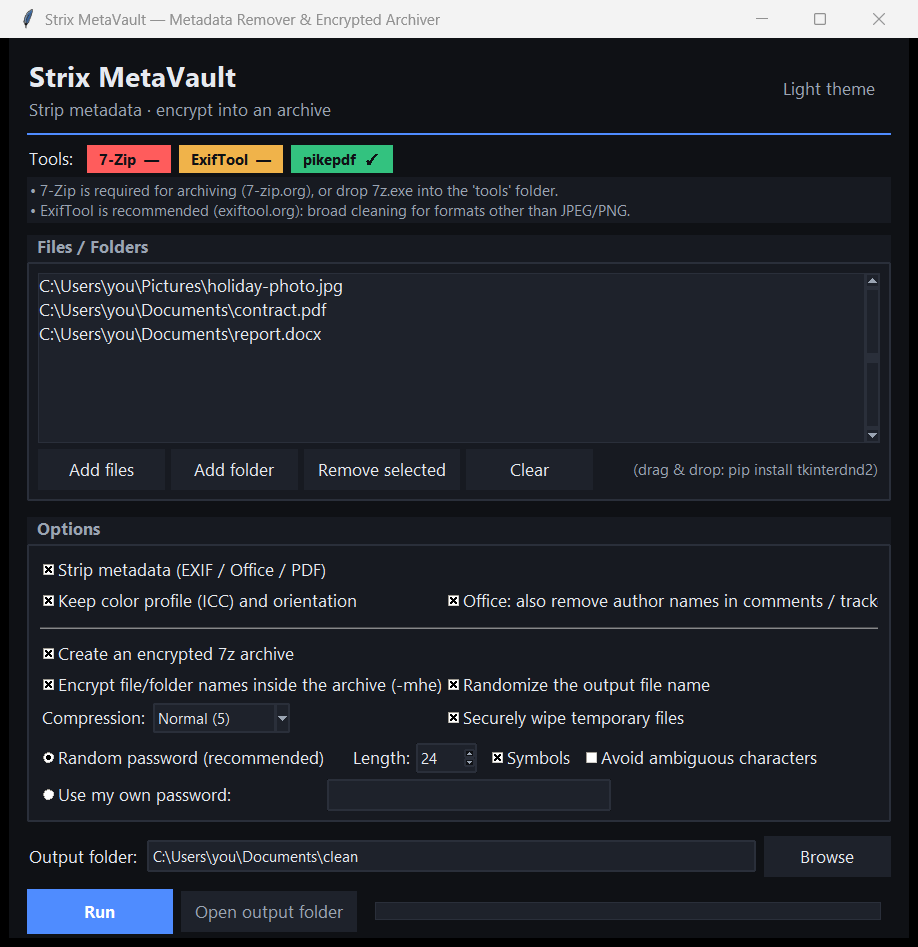
Strix MetaVault
Erase hidden metadata, then lock your files in AES-256 encryption.
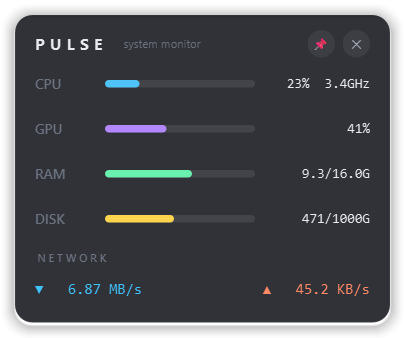
Strix Pulse Monitor
A glanceable, always-on-top monitor for your whole machine.
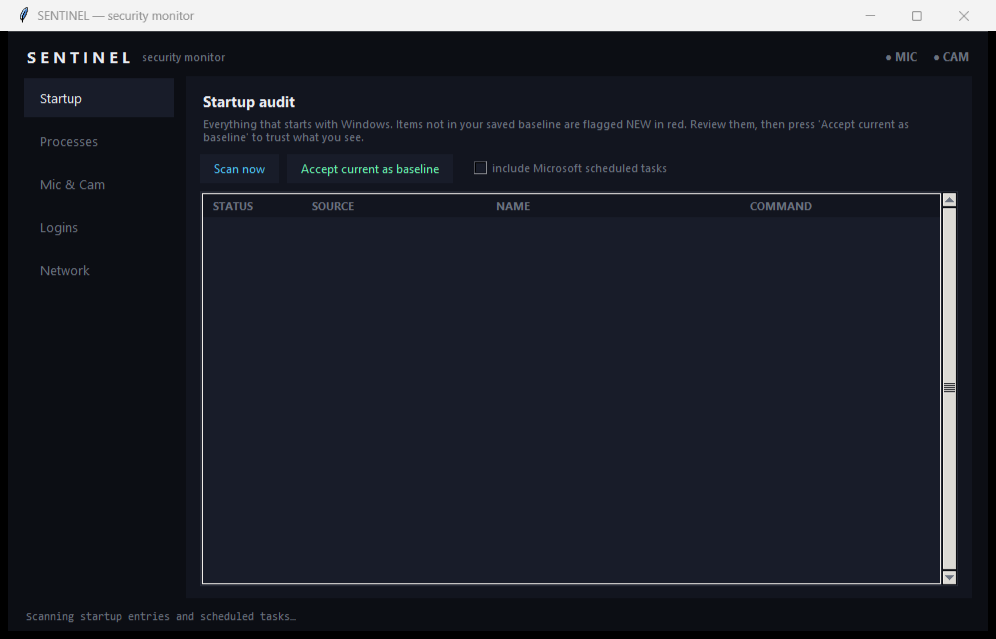
Strix Sentinel
Know what runs, watches and listens on your machine.
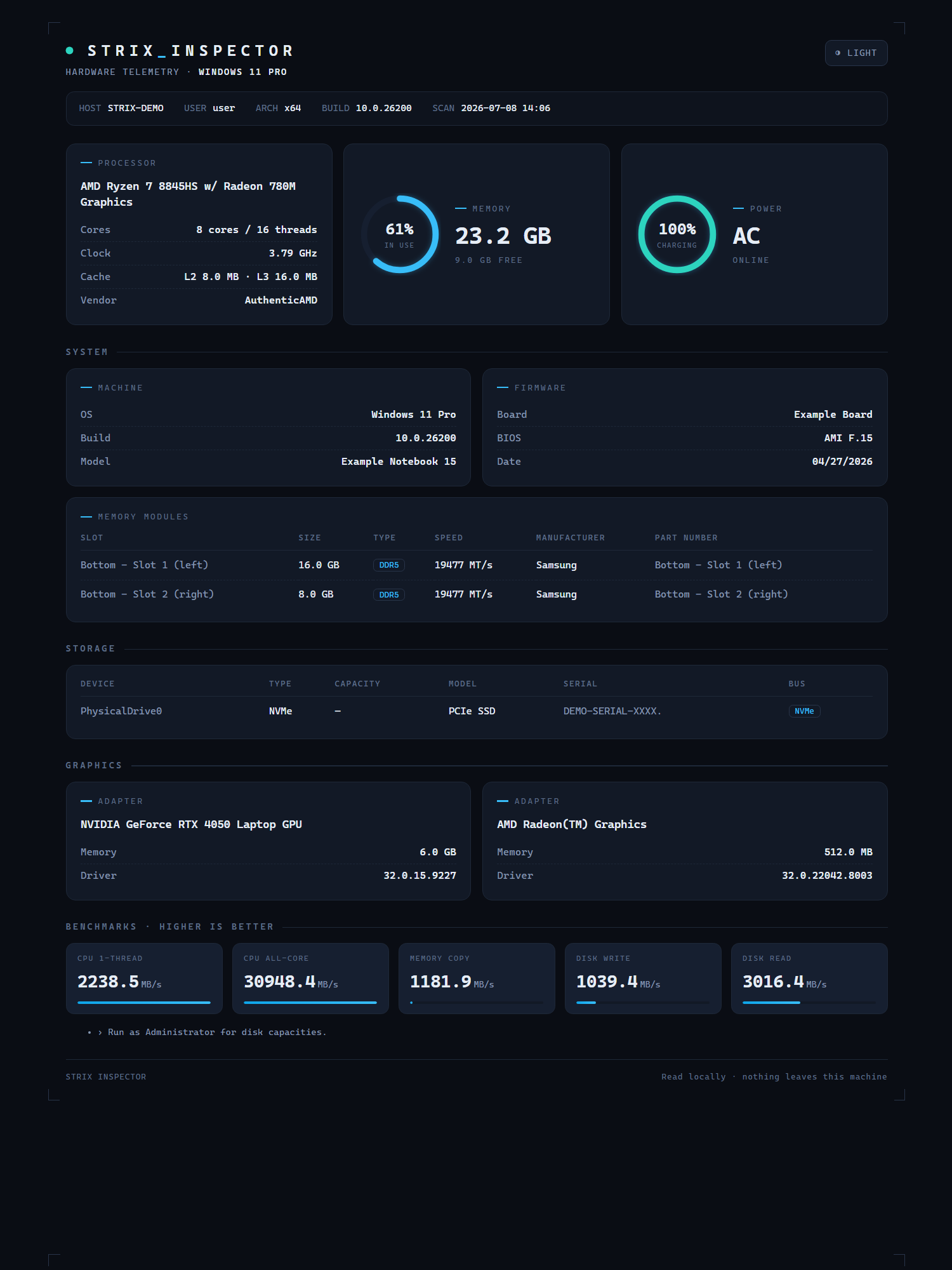
Strix Inspector
A complete, read-only picture of your hardware — in seconds.
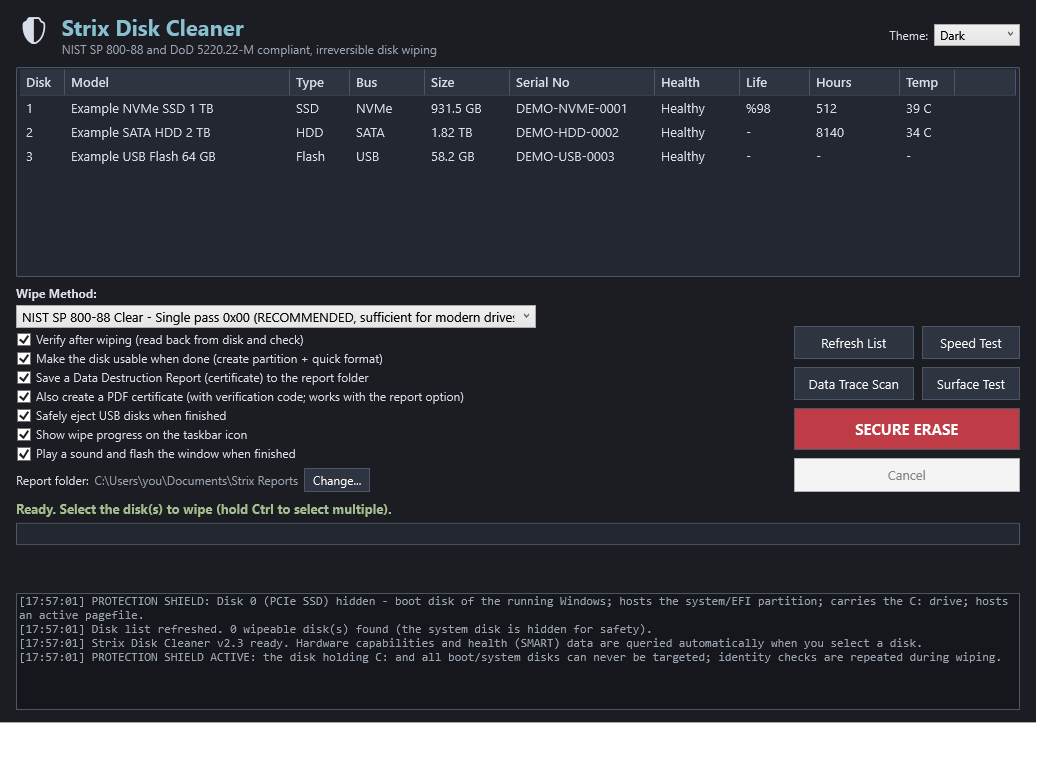
Strix Disk Cleaner
Erase a drive for good — with a shield against erasing the wrong one.
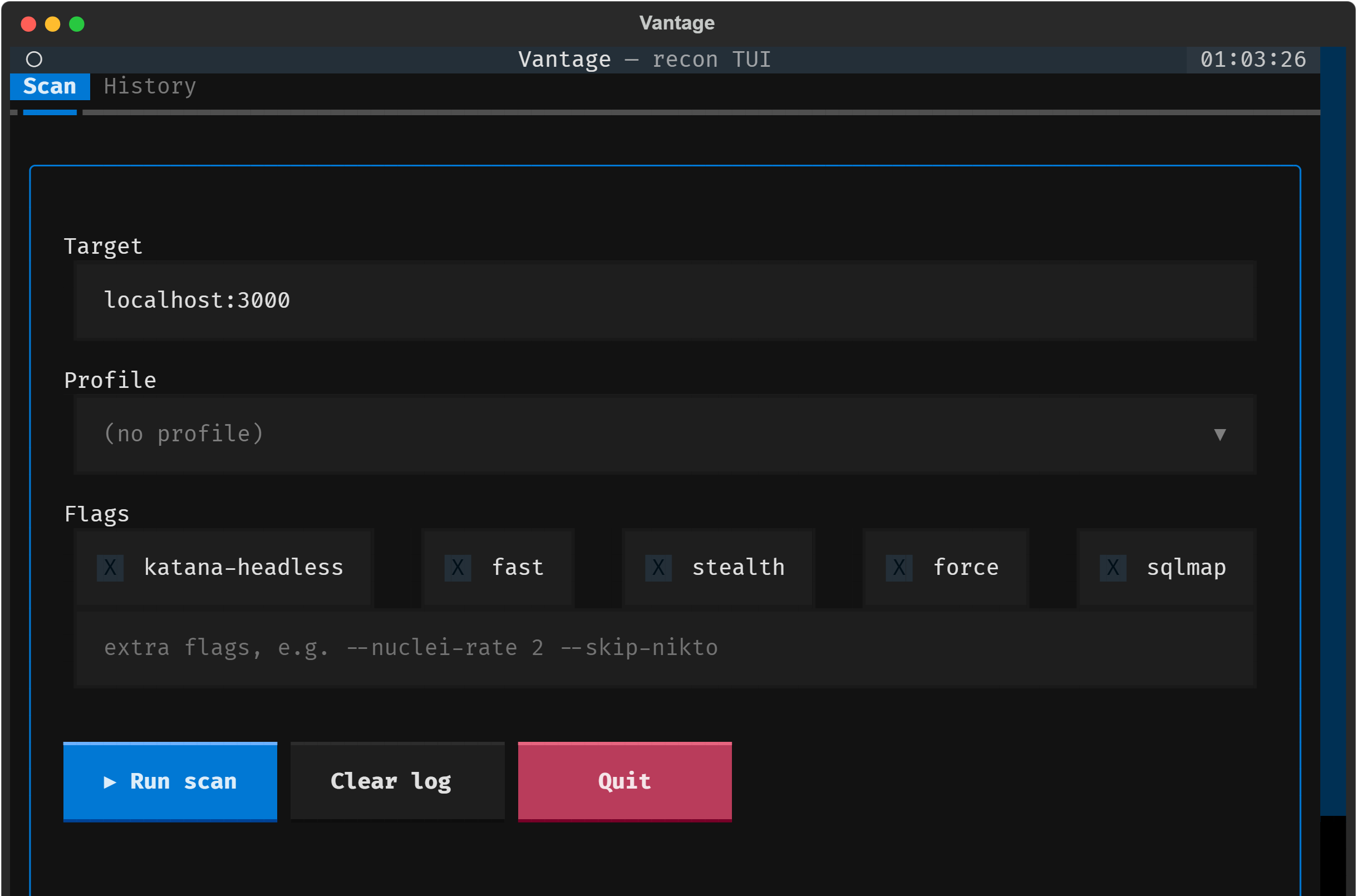
Strix Vantage
One command runs a full, WAF-safe recon pipeline on your lab.
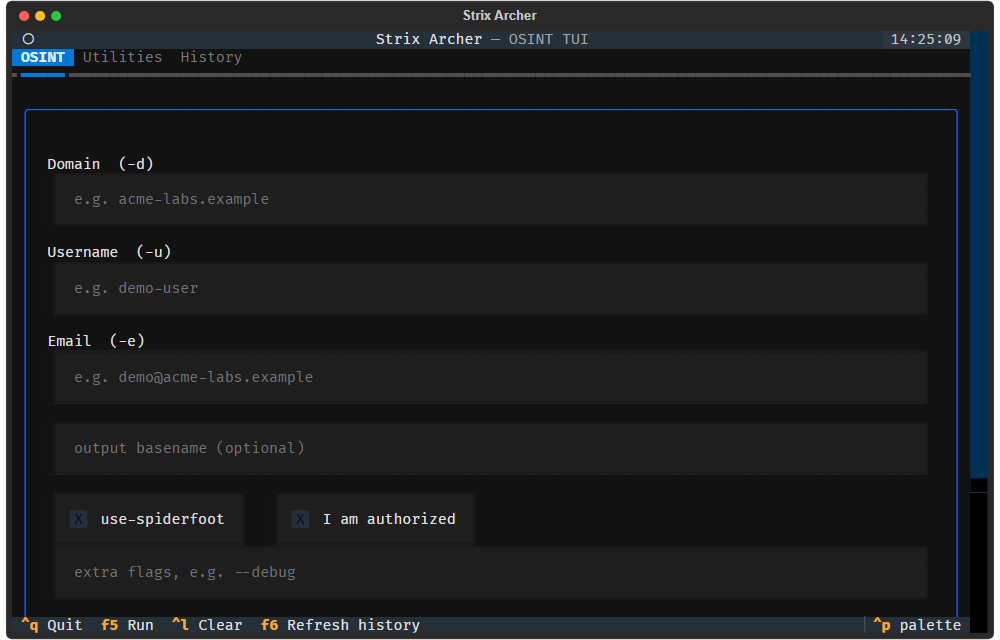
Strix Archer
Passive OSINT for CTF challenges & authorized lab targets.
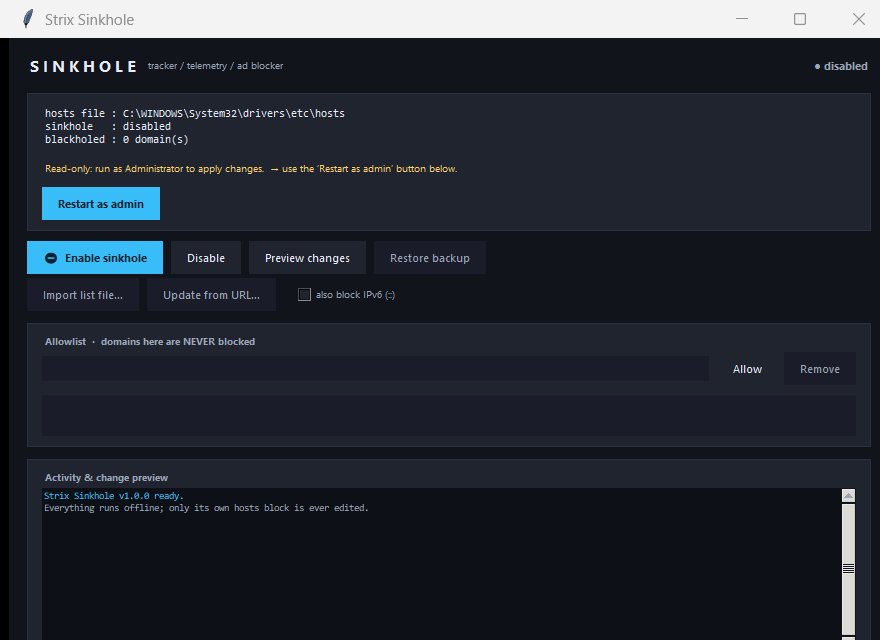
Strix Sinkhole
Block trackers, telemetry and ads in your hosts file — offline, reversible, one click.
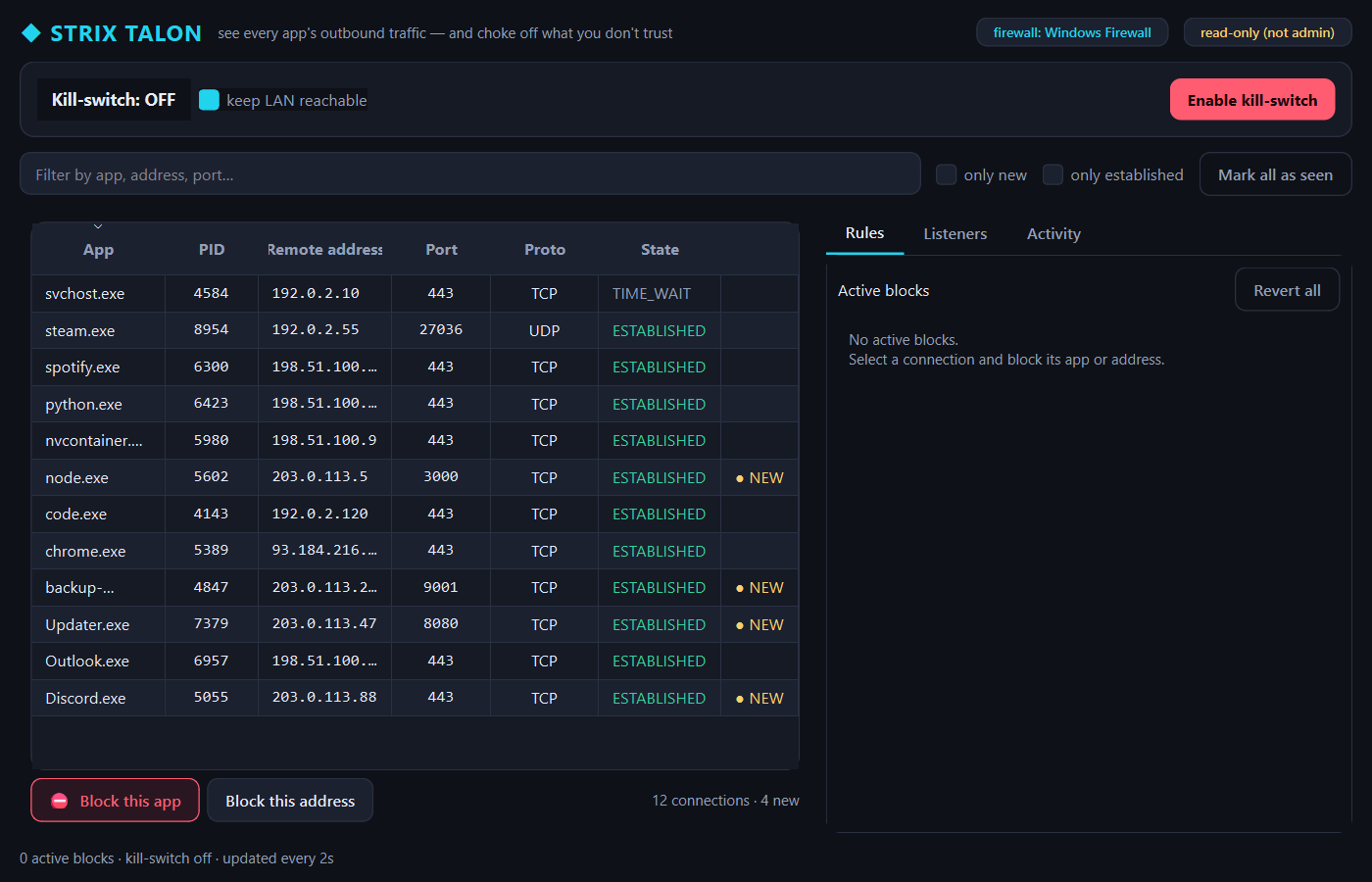
Strix Talon
See every app's outbound traffic — and choke off the ones you don't trust.
Built on four promises
Not a slogan — each promise is something you can verify in the source before you trust it.
Offline by design
No network calls, no telemetry, no accounts. Your data never leaves the machine it lives on.
Hardened & tested
No shell-outs, no dynamic code, least privilege — and the safety-critical paths are covered by real regression tests.
Windows and Linux
Proper setup wizards on Windows and native packages on Linux for the desktop tools; the Kali recon/OSINT tools ship as Linux scripts.
Genuinely open
MIT-licensed, no strings attached. Read it, build it yourself, audit it, or send a pull request.
Offline by default, no shell, no dynamic code, least privilege — and every line is MIT-licensed and open to audit.
Frequently asked
Are Strix Advanced Tools really free and open-source?
Yes. Every tool is MIT-licensed and free forever — you can read the source, build it yourself, and contribute. No paid tiers, accounts, subscriptions, or ads, now or ever.
Who makes Strix, and why should I trust it?
Strix Advanced Tools is an independent open-source project — not a company selling your data. You do not have to take trust on faith: every tool is a public GitHub repository under the MIT license, so you (or anyone) can read every line, build it yourself from source, and confirm it does exactly what it claims. Trust is meant to be verified, not requested. Each repo also ships a SECURITY.md with the threat model and a private disclosure path.
Which Strix tool is the open-source alternative to the app I already use?
Talon is a per-app outbound firewall — an open-source alternative to Little Snitch and GlassWire. Sinkhole is a hosts-file ad & tracker blocker — a local, single-machine alternative to Pi-hole. MetaVault removes metadata and builds AES-256 archives — an alternative to ExifTool GUIs, MAT2 and online EXIF removers. Disk Cleaner securely erases drives — an alternative to DBAN and CCleaner’s wipe. Pulse is a system-monitor widget (alternative to Rainmeter/HWiNFO gadgets), Inspector reports hardware (alternative to CPU-Z/Speccy), and Sentinel is a security watchdog. Every one runs offline with zero telemetry.
Do these tools send my data anywhere?
No. Every desktop tool runs entirely on your machine, makes no network calls of its own, and ships zero telemetry — your data never leaves your device. The only tools that touch the network are the ones whose whole job is the network (the recon/OSINT tools), and even those use only key-less public APIs, gated by consent and bounded by timeouts.
Do I need to be technical to use them?
Not for the desktop apps — MetaVault, Pulse, Inspector, Sentinel, Sinkhole and Talon all have a clean graphical UI with sensible defaults and confirmations before anything destructive. The recon tools (Vantage, Archer) are command-line, for people comfortable in a terminal.
Which tool do I need?
Use the search and filters above the tool grid to narrow by platform (Windows / Linux) and category (Privacy, Security, System, OSINT…), or press ⌘K / Ctrl-K anywhere to jump straight to a tool. Each tool page explains exactly what it does — and what it deliberately does not do.
How do I verify a download is genuine?
Every GitHub release publishes a SHA-256 checksum (SHA256SUMS) next to the files. Download it, compare the hash of your file, and you know the binary is exactly what was published — no tampering. That matters more than any code signature.
Which platforms are supported?
Windows and Linux (Ubuntu / Debian). The desktop tools ship a Windows installer and a Linux package; the Vantage and Archer recon/OSINT tools are Linux/Kali only.
Is there a macOS or mobile version?
Not officially yet — the supported targets are Windows and Linux (Ubuntu / Debian), and there are no iOS or Android versions. Because the Python-based tools (MetaVault, Pulse, Sentinel, Sinkhole, Talon) are open-source and cross-platform, they may well run on macOS from source, but that is unsupported and untested. A native macOS build is on the roadmap, not a shipped product.
Why does Windows show an "unknown publisher" warning?
The installers are not code-signed yet, so SmartScreen shows a prompt on first run. Choose "More info → Run anyway", or verify the SHA-256 checksum published with each release. Never disable your antivirus to run them — you should never have to.
Are the recon / OSINT tools legal to use?
Only against systems you own or are explicitly authorized to test — an intentionally-vulnerable practice lab, a CTF challenge, or an engagement with written permission. Both Vantage and Archer show a one-time consent gate and are strictly passive / authorized-use-only. Scanning or profiling without authorization can be illegal.
Can I report a bug or contribute?
Absolutely — every tool is a separate public repo on GitHub with a SECURITY.md, issue templates and a contributing guide. Security issues have a private disclosure path; features and fixes are welcome as pull requests.
No question matches — try different words.