Strix Disk Cleaner
Strix Disk Cleaner is a free, open-source secure disk eraser for Windows and Linux that permanently wipes a drive to NIST SP 800-88 and DoD 5220.22-M standards, with a multi-layer safety shield that makes it impossible to erase your system disk.
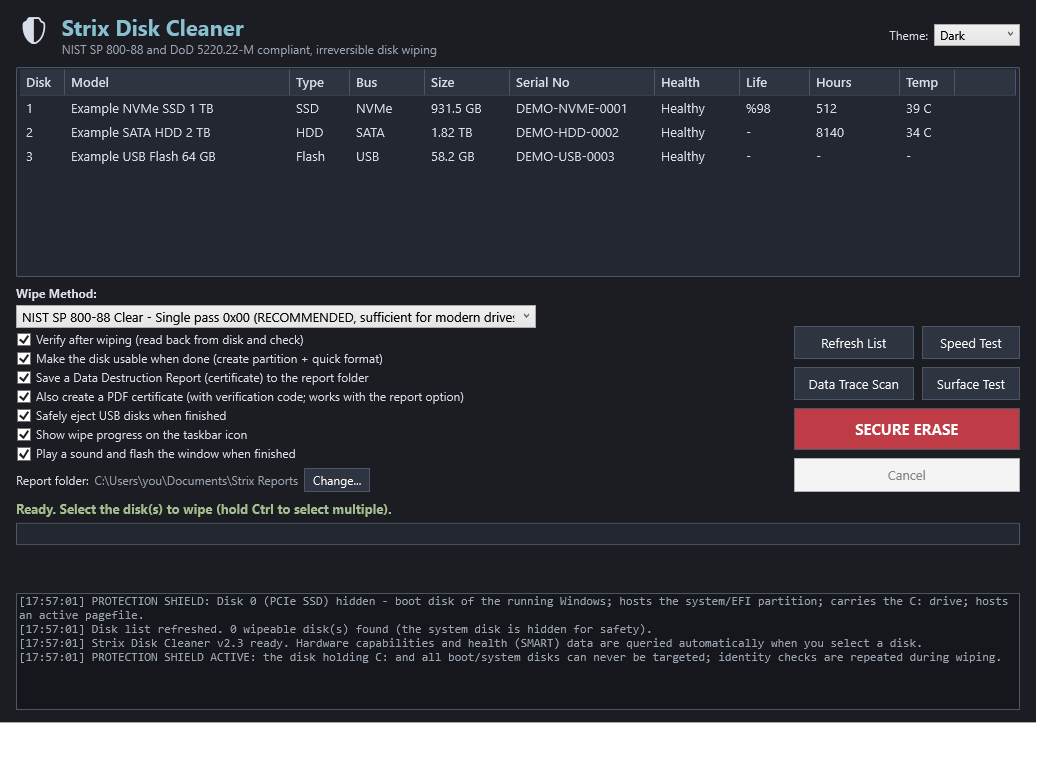
Permanently and verifiably erase an entire drive to NIST SP 800-88 and DoD 5220.22-M standards — using hardware sanitize where possible, or multi-pass overwrite. A multi-layer safety shield makes it impossible to select your system disk, and every destructive action demands typed confirmation. Windows ships a full GUI with a printable destruction certificate; Linux ships a unit-tested command-line eraser.
- Price
- Free — open-source (MIT)
- Platforms
- Windows, Linux
- Category
- Security
- Built with
- PowerShell · Python
- Open-source alternative to
- DBAN, Eraser, dd / shred
- Telemetry
- None — fully offline
- Updated
A look inside
What it does
- A multi-layer shield: your system and any mounted disk can never be selected
- Hardware sanitize (blkdiscard, nvme, hdparm) or multi-pass overwrite
- Typed ERASE confirmation with a re-check immediately before writing
- Unit-tested safety logic; a printable destruction certificate on Windows
What Strix Disk Cleaner deliberately does not do
- It cannot select or erase your system/boot disk or any mounted volume — by design.
- It erases whole drives, not individual files.
- It makes no network calls and needs no account.
Installation
🪟 Windows
Download the setup wizard and run it — Start-Menu shortcuts and an uninstaller are created for you.
🐧 Linux (Ubuntu / Debian)
sudo apt install ./strix-disk-cleaner_1.0.0_all.deb
strixwipe list
Frequently asked
Can I accidentally wipe my Windows/Linux drive?
No. The system and boot disk are detected and hidden; on Linux any mounted disk is refused. You also have to type the device path and the word ERASE.
Is overwrite enough for an SSD?
Not reliably — flash wear-levelling can leave data behind. The tool detects SSDs and steers you to a hardware sanitize (blkdiscard / nvme), which is thorough.