Strix Inspector
Strix Inspector is a free, open-source, read-only hardware information and benchmark tool for Windows and Linux that inventories your CPU, per-DIMM RAM, GPU, disks, motherboard and BIOS as console text, JSON or a self-contained HTML dashboard — with no network access.
A precise, read-only inventory of your machine — operating system, CPU, memory down to each DIMM, GPUs, disks, motherboard, BIOS and battery — presented as console text, machine-readable JSON, or a polished self-contained HTML dashboard. It also runs quick CPU, memory and disk benchmarks. No network, no elevation required.
- Price
- Free — open-source (MIT)
- Platforms
- Windows, Linux
- Category
- Diagnostics
- Built with
- C# · .NET
- Open-source alternative to
- HWiNFO, CPU-Z, Speccy
- Telemetry
- None — fully offline
- Updated
A look inside
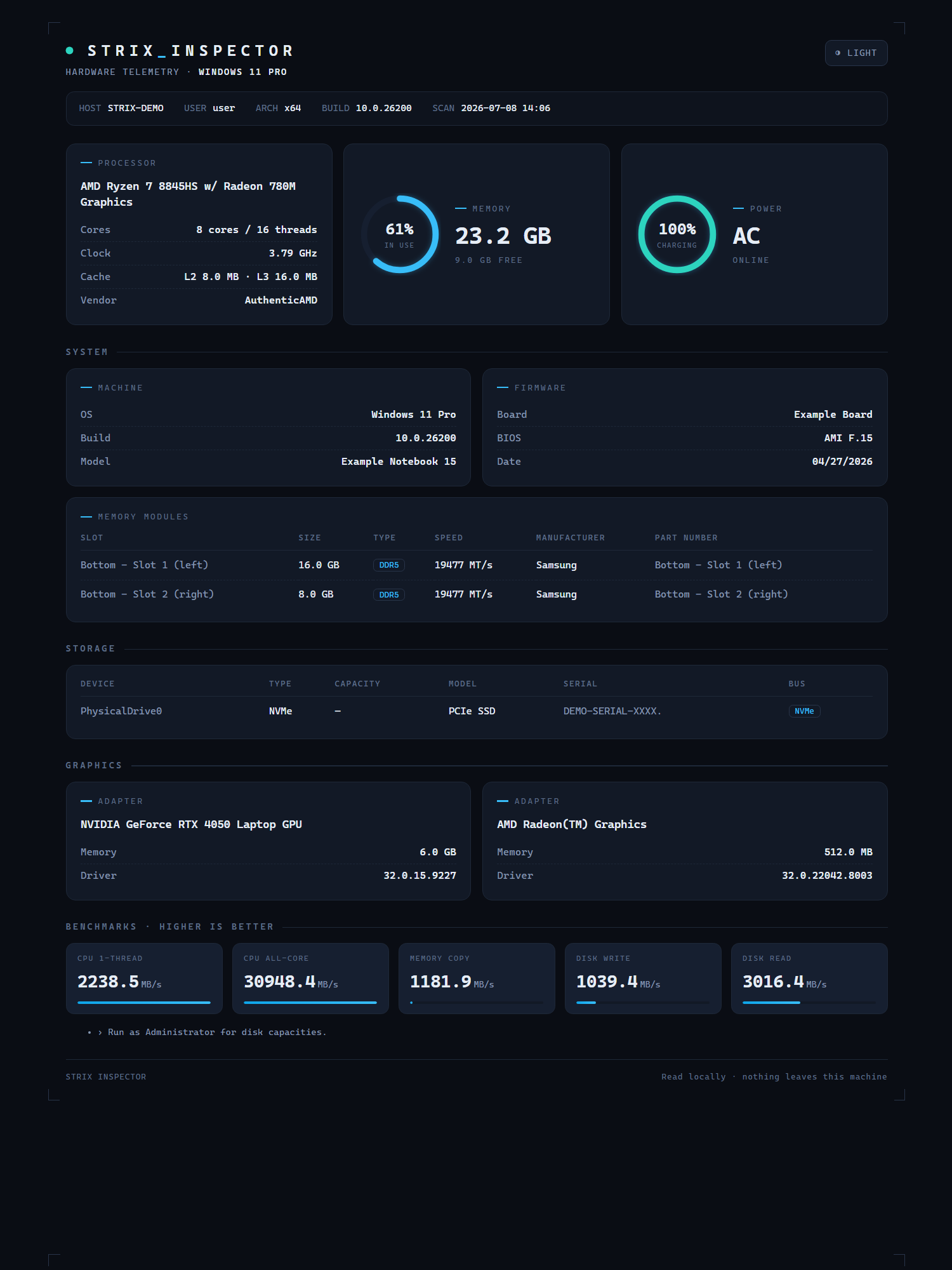
What it does
- Full inventory: OS, CPU, per-DIMM memory, GPUs, disks, board, BIOS, battery
- Three outputs: console, JSON, and a dark/light HTML dashboard
- Built-in CPU, memory and disk micro-benchmarks
- Runs on Linux via .NET 8, reusing the same hardened SMBIOS parser as Windows
What Strix Inspector deliberately does not do
- It is strictly read-only — it never changes settings, overclocks, or flashes firmware.
- It needs no runtime install on Windows and no elevation to run.
- It sends no data anywhere.
Installation
🪟 Windows
Download the setup wizard and run it — Start-Menu shortcuts and an uninstaller are created for you.
🐧 Linux (Ubuntu / Debian)
sudo apt install ./strix-inspector_1.0.0_amd64.deb
strix-inspector info
Frequently asked
Do I need to install a runtime?
On Windows it uses the built-in .NET Framework — nothing to install. The Linux build ships as a self-contained binary.
Why do some fields need admin?
Disk sizes, DIMM details and BIOS strings come from privileged interfaces. Without elevation the tool still runs and simply notes what it skipped.